

At a glance
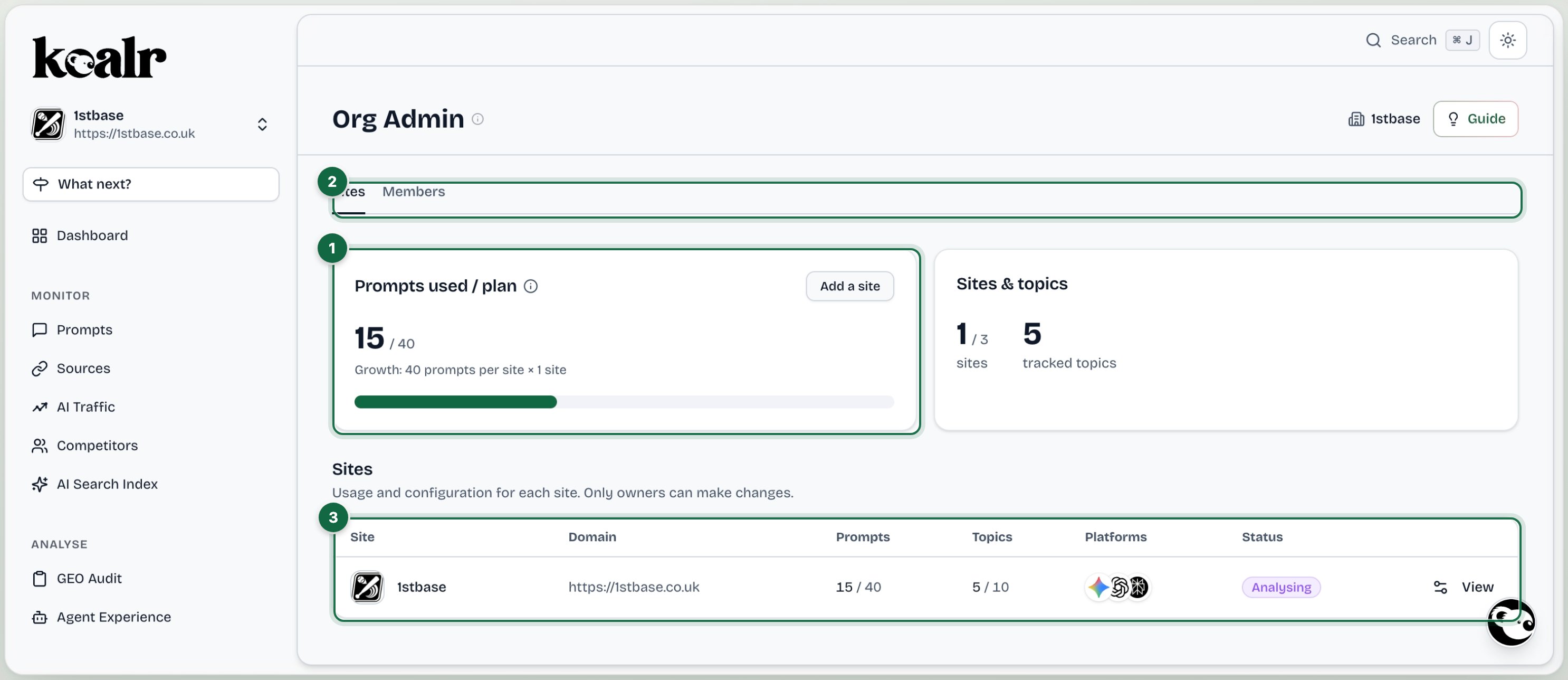
- Prompts used against the plan, and sites against the plan
- Sites and Members tabs
- Every site with its usage, platforms and status
Sites tab
Every site in the organisation, with its prompts used against the plan and its status. Configure on a site’s row opens Manage this site:- Details: business name, description, also known as (alternative names) and business scope.
- Social profiles: the YouTube, LinkedIn, Instagram, Facebook, X and TikTok profiles AI might cite.
- AI Platforms: which platforms this site is tracked on.
- Tone of voice: the document drafts for this site are written in.
- Access: who can see this site and at what level (Viewer, Editor or Manager).
- Danger zone (owners only): delete the site.
Members tab
Invite teammates (their email, role, the sites they may see and their site permission), change a role from the row, open Site access to change a member’s sites and levels, remove members, revoke invitations, and handle Access requests. See Members and roles.Tone of voice
Below the sites list, the organisation’s tone of voice document: upload one, paste guidelines, or Draft a new one from my site. See Tone of voice.Organisation
Rename the organisation from the header. Deleting an organisation is done through support; it cancels the subscription and removes every site.If an agency runs your workspace, owners see two tabs in Org Admin. Sites: set up each site’s details, social profiles, AI platforms and tone of voice. Members: invite your colleagues and choose which sites each of them can see. Your agency looks after your plan and removing sites, and its own team is not listed. A Manager of a site sees the Sites tab only, where they can add people to the sites they manage.