

At a glance
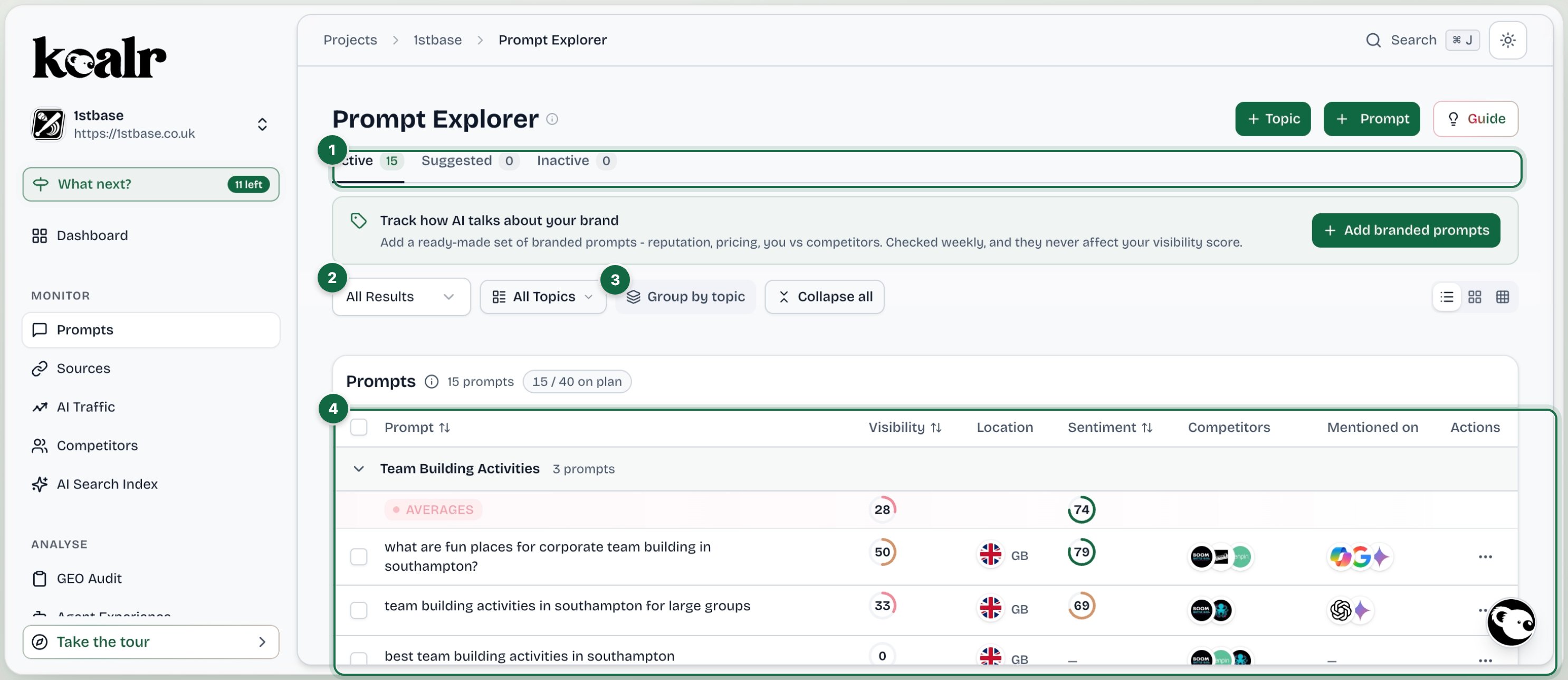
- Active, Suggested and Inactive prompts
- Filter by whether you were mentioned, and by topic
- Group by topic, or read one flat list
- One row per prompt: visibility, sentiment, competitors and platforms
The table
Click any row to open the prompt detail with the real answers.
Views
- List: the table above, grouped by topic if you choose.
- Citation grid: prompts against platforms, showing where your site was cited as a source. Empty until a run has completed.
- Visibility heatmap: prompts against platforms, tinted by visibility, for spotting a platform-wide gap at a glance.
Filters
Narrow by whether your brand was mentioned (All Results) and by topic (All Topics). Every figure on the page comes from the latest completed run, so there is no date range here; open a prompt for its history over time.Active, suggested, inactive
Switch between the prompts running now, the ones Koalr suggests, and the ones you have retired. An active prompt can also be paused from its row menu (Pause tracking): a paused prompt keeps its history, is not checked in runs and does not count towards your plan, and Resume tracking brings it back. See Prompts and topics for how to add, accept, edit and deactivate.Shared prompts
On a client site of an agency that uses a shared taxonomy, the prompts the agency sets carry a Shared chip with a lock. They have no checkbox and no row actions, and their topics cannot be renamed or deleted: only the agency changes them. A filter switches between All prompts, Shared and Yours, and a topic holding both shows each count. Your own prompts can sit in a shared topic too. Add one there, or accept one that Refresh with AI on the Suggested tab suggests for it: the refresh covers shared topics as well as your own. Your prompts in a shared topic work like the rest of your prompts.Branded prompts
Branded prompts (ones that contain your brand name) are excluded from every rolled-up metric. AI will always mention you when the question names you, so including them would drag the numbers towards 100% and hide the real picture. See Branded prompts.