At a glance

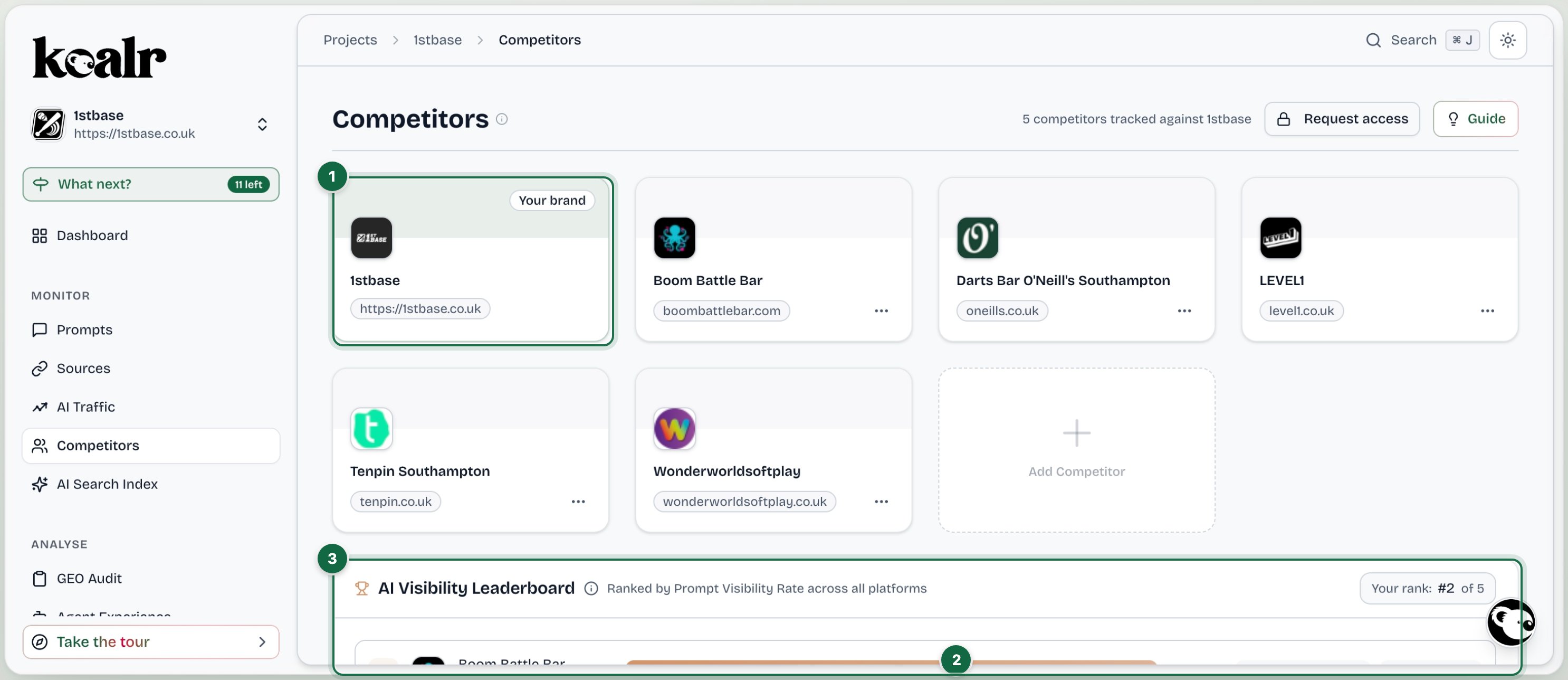
The Competitors page in Koalr, with the main areas numbered
  1. Your brand and the competitors you track
  2. Add Competitor
  3. AI Visibility Leaderboard: ranked by Prompt Visibility Rate, with Share of Voice and citations per brand

AI Visibility Leaderboard

Every tracked brand ranked by Prompt Visibility Rate across all platforms, from the latest completed run. Two numbers per brand, always shown separately:
  • Prompt Visibility Rate: of the answers to your tracked prompts that name a brand, the percentage that name that brand. Each brand is measured on its own, so these do not add up to 100%.
  • Share of Voice: that brand’s slice of all brand mentions. These do add up to about 100% across every brand.
A brand can score highly here without being cited anywhere. AI often names brands it already knows without linking to a source, so a high rate with few citations is normal.

Citations per brand

Each leaderboard row also shows the brand’s Share of Voice and its share of citations (the Citations figure), so you can see whether a rival is named, linked, or both. Give competitors their websites so the citation figures are complete; see Competitors and brands. Prompts where competitors are mentioned and you are not do not have a view of their own here. They drive the competitor actions in the Action Centre and the opportunities in Content Studio.

Corporate Brands Cited by AI

Every brand domain AI cites for your prompts, with its citations, the prompts it appears on and whether you track it. Tick Show untracked only to see the ones you are not tracking yet, and Add the ones that matter.

Managing competitors

Add Competitor (name and optional website), Edit, Merge into (fold a duplicate identity into another brand) and remove. Removing, merging and unmerging are reserved for managers and owners because they rewrite what past numbers mean. Members without that level can Request access from the same spot.