

At a glance
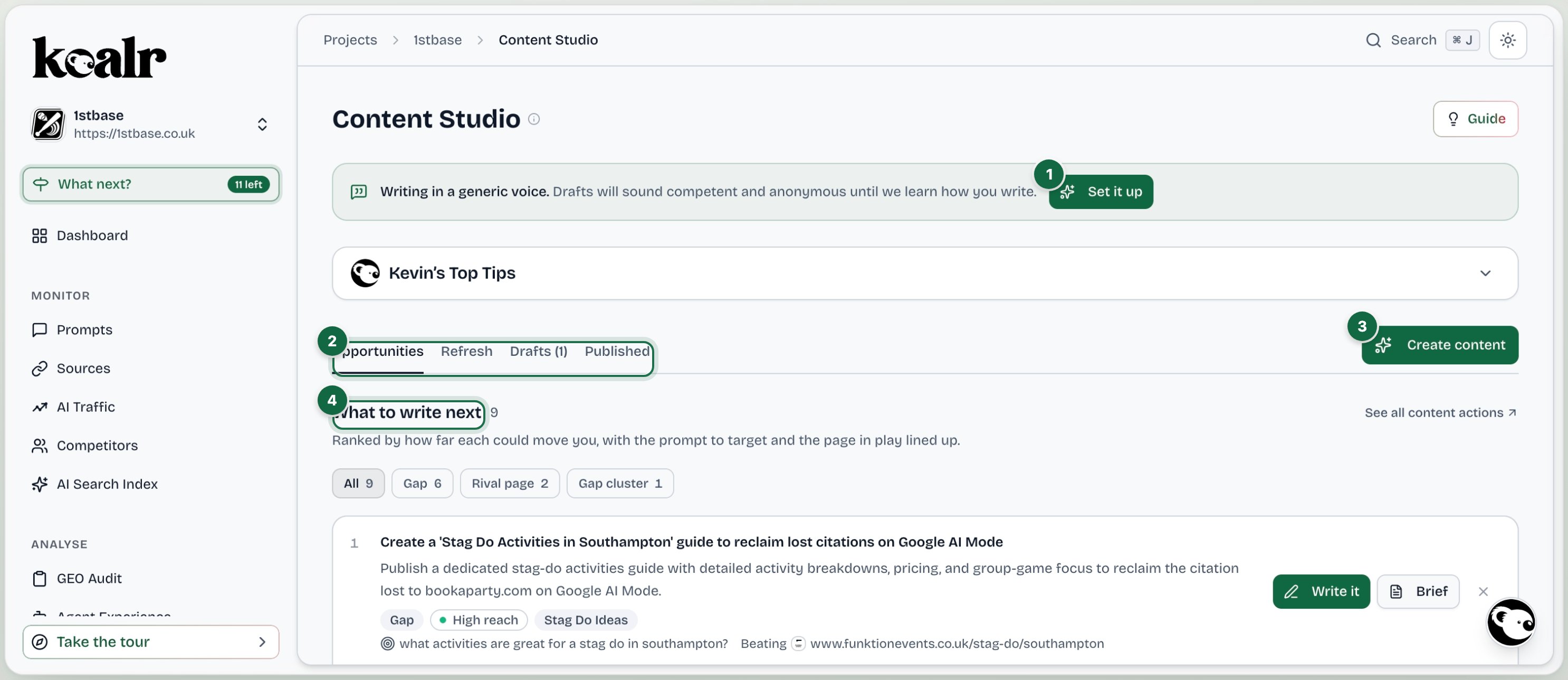
- Tone of voice sits at the top of the Studio
- Opportunities, Refresh, Drafts and Published
- Create content opens the wizard
- What to write next, ranked, with Write it and Brief on every row
Four tabs
Opportunities
What is worth writing next, ranked. The content view of the Action Centre, so the two never disagree.
Refresh
Which of the pages you already have are worth reworking, with an effort band and the additions that would help AI quote each one.
Drafts
Every draft, with status, evidence, workflow and the content pack.
Published
The scoreboard: whether each published piece is being cited, on which prompts and platforms.
Tone of voice sits at the top
The biggest lever on whether a draft is usable is your tone of voice document, and it lives at the top of the Studio, not in settings. Without one, the Studio says so plainly and drafts come out competent and anonymous. Setting one up takes about thirty seconds: Learn how I write reads your own site and proposes a document you edit before saving. See Tone of voice.Two rewrite plays, deliberately separate
- A refreshed draft (the Refresh workbench) adds to a page you have, under the ANSWER letters, and keeps everything already there exactly as written: title, headings, address and wording. Use it for Quick win and Worth a session pages.
- Writing it out properly (the create flow with the page as its reference) writes the whole page again from scratch, on the same address and under the same title. Koalr offers it only when a page is too short for AI to quote.