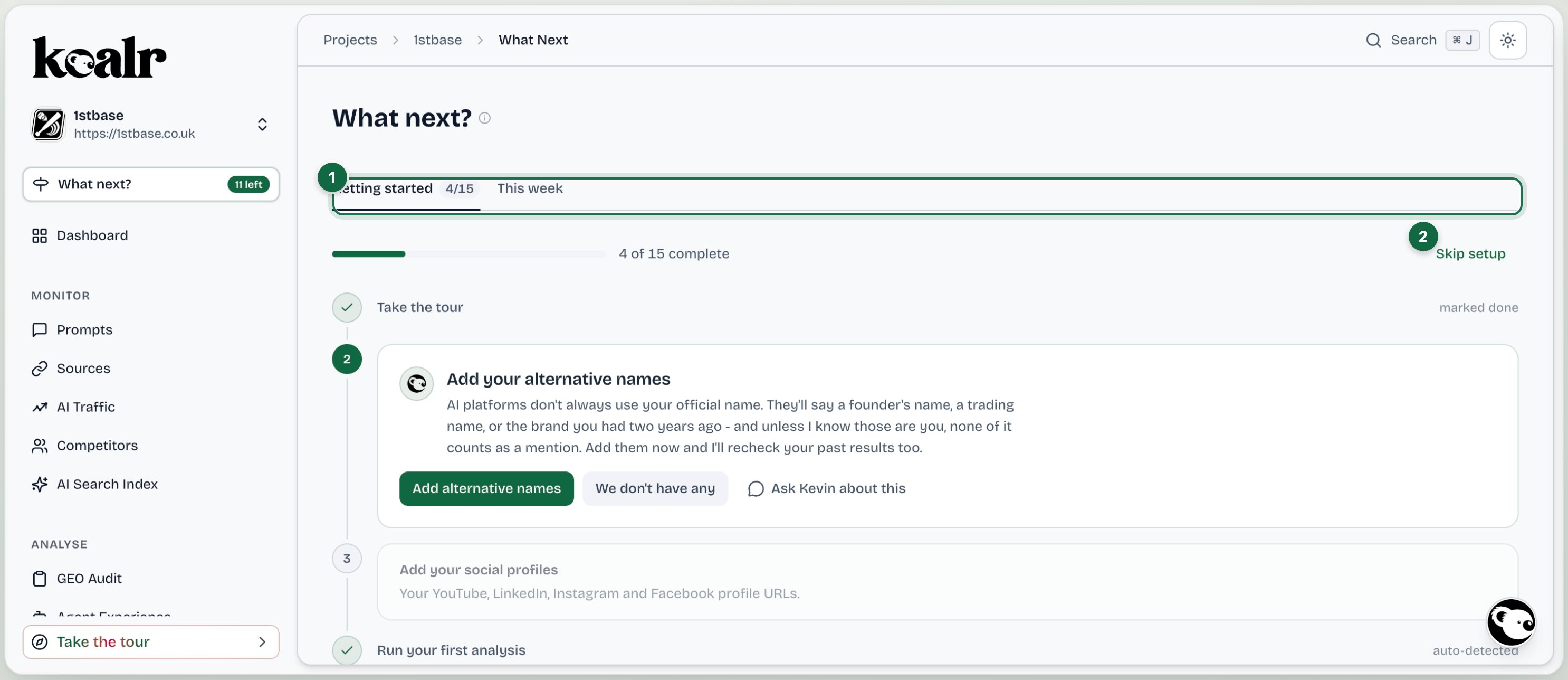
Open it from What next? in the sidebar, just under the Dashboard entry. It is the one page that always knows your next move.

At a glance

What next in Koalr, with the main areas numbered
  1. Getting started and This week
  2. Steps tick themselves off as you complete them

Getting started

A numbered journey through setup. Most steps tick themselves off automatically when you do the thing; the rest have a button to mark them done, and any step can be put off for later. The steps, in order:
  1. Take the tour.
  2. Add your alternative names, so mentions are not missed.
  3. Add your social profiles.
  4. Run your first analysis.
  5. Connect Google Analytics (optional).
  6. Connect Bing Webmaster Tools (optional).
  7. Understand your Visibility Score.
  8. See what’s working in Prompt Explorer.
  9. Flag the pages that aren’t meant to be found.
  10. See how competitors show up in Sources.
  11. Focus your effort: your weakest topic.
  12. Set your tone of voice (optional).
  13. Write your first piece.
  14. Generate your first report.
  15. Connect your AI agent (optional).

Actions from your agency

If an agency manages your site and sends an action to your Action Centre, a notice appears at the top of What next?, on both tabs, until somebody opens it. It names the agency, the action and the day it was sent, with a short summary and an Open action link that takes you straight to that card on your Board. Opening the card is what clears the notice; there is nothing to dismiss. Use the chevron on the right to fold a notice to a single line while you get to the rest of the page, and again to open it back up. A fold is remembered for you across visits. When more than a few actions are waiting, the newest are shown in full and the rest are one link to your Board. New actions from your agency count towards the What next? badge in the sidebar, in the same way as anything else new since you last looked.

This week

A feed of cards worth your attention: a run recap after each run (whether your visibility went up, dipped or held, with your biggest gainer and biggest slip), a brand that keeps showing up in AI answers without being tracked as a competitor, a warning when there has been no new data for a while, a nudge for any part of setup you skipped, and anything new in Koalr worth a look. Start this week pulls this week’s actions from your Action Centre plan.

Kevin’s introduction

A short chat with Kevin at the top of Getting started the first time you land here after signing up. It collapses once you scroll and does not come back; you can still reply to it while it is open. The product tour itself is the first step in the list.