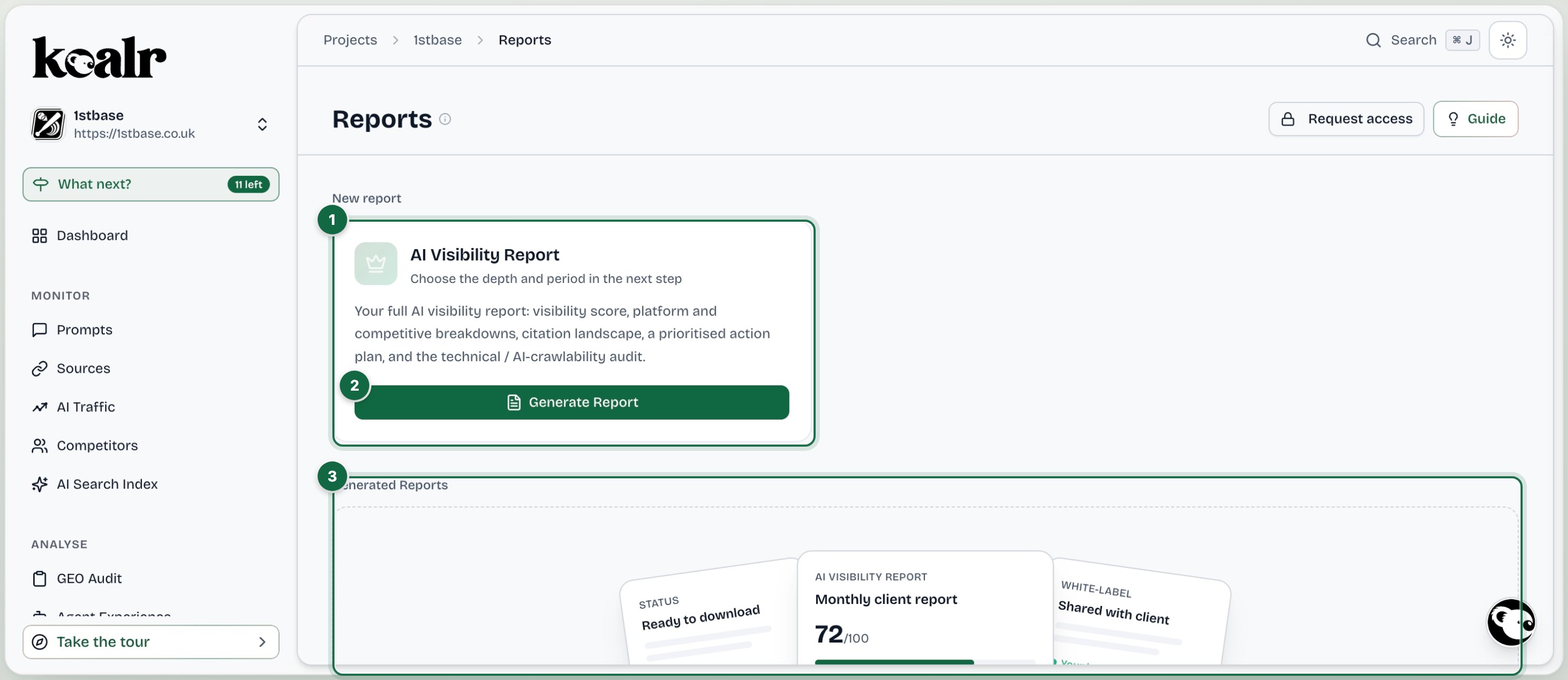
Generating a report

Generate Report opens a three-step wizard: the detail level, the date range, then a review of what will be built. Detail level, with typical page counts: Date range offers quick ranges or a custom period. Generation runs in the background. The row shows Ready to download when the PDF is built, or what went wrong with a retry.

What is in a report

Every section opens with a plain-English What this means note, and a Methodology page explains where the data comes from: the prompts tracked, the reporting period, run frequency and total responses analysed. Metrics use one name, one unit and one definition throughout, so a client never sees the same number under two labels.

White-label

Reports carry your organisation’s branding when it is set. Agencies upload a logo under Agency Admin, Agency, and every client report is prepared under that brand. See Agency Admin.

Sharing

Share creates a link anyone with it can open, expiring after 7 days, 30 days or never. Revoke by changing the expiry. The shared page carries the same sections as the PDF and a Download PDF button.

Managing reports

The history lists every report with its level, period and status. Deleting a report is reserved for managers and owners.

Setup sign-off PDFs

Separately from visibility reports, a site’s proposed setup (topics, prompts, competitors, platforms) can be exported as a sign-off PDF from the setup review, which agencies use to agree the scope with a client before tracking starts.